


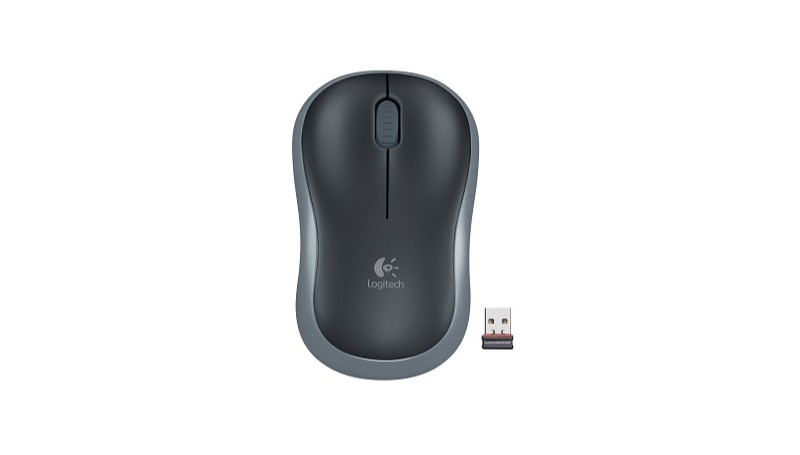
Logitech M185 — Reliable Wireless Simplicity
The Logitech M185 is a compact, reliable wireless mouse that delivers the quality you expect from a global leader. Designed for comfort in either hand, it features a contoured shape that feels much better than a standard touchpad. With its “plug-and-forget” nano receiver, the M185 provides a powerful, consistent connection with virtually no delays or dropouts, making it an ideal choice for both office work and home use.

The compact, ambidextrous design of the Logitech M185.
To ensure your M185 is performing at its best, installing Logi Options+ is a smart move. Even though the mouse is fully Plug-and-Play, the official software allows you to check battery status, adjust pointer precision, and optimize the wireless signal for crowded office environments. This ensures your 12-month battery life actually lasts, thanks to the smart sleep mode.
Logitech M185 Technical Specifications
- Sensor: Advanced Optical Tracking
- DPI: 1000 (Fixed)
- Connectivity: 2.4GHz Wireless (Nano Receiver)
- Battery Life: Up to 12 months (1x AA)
- Buttons: 3 (Left/Right/Middle)
- Wireless Range: 10 meters (33 feet)
- Design: Contoured Ambidextrous Shape
- Interface: USB Plug-and-Play
- Weight: 75.2g (with battery)
- Compatibility: Windows, macOS, ChromeOS, Linux
Download Logitech M185 Driver & Logi Options+
Get the official Logi Options+ software to maintain a stable connection and monitor your battery health. Choose your platform below for a secure download.
Product Support & Essentials
- Brand: Logitech
- Model: M185 Wireless
- Verified: Driver Not Required (PnP) ✅
- Receiver Type: Nano USB (Non-Unifying)
- Power Source: 1x AA Battery
- Warranty: Official Hardware Support
? FAQ
Where is the USB receiver located for the M185?
The USB Nano receiver is stored inside the mouse for safe travel. Simply slide open the battery compartment cover on the bottom of the mouse, and you will find the receiver tucked in a small slot next to the AA battery.
Is the M185 compatible with the Unifying Receiver?
No, the Logitech M185 typically comes with a standard Nano receiver that is not Unifying-compatible. However, if your M185 has the “Orange Sun” icon on the bottom, it might work with a Unifying receiver. Most standard M185 models use a 1-to-1 connection only.
What should I do if the mouse stops moving?
Try these steps: 1. Replace the AA battery with a fresh one. 2. Move the Nano receiver to a different USB port. 3. Ensure the power switch on the bottom of the mouse is in the ON position. 4. Use a mousepad if you are working on a glass or reflective surface.

 (2 votes, average: 3.00 out of 5)
 Loading...
