


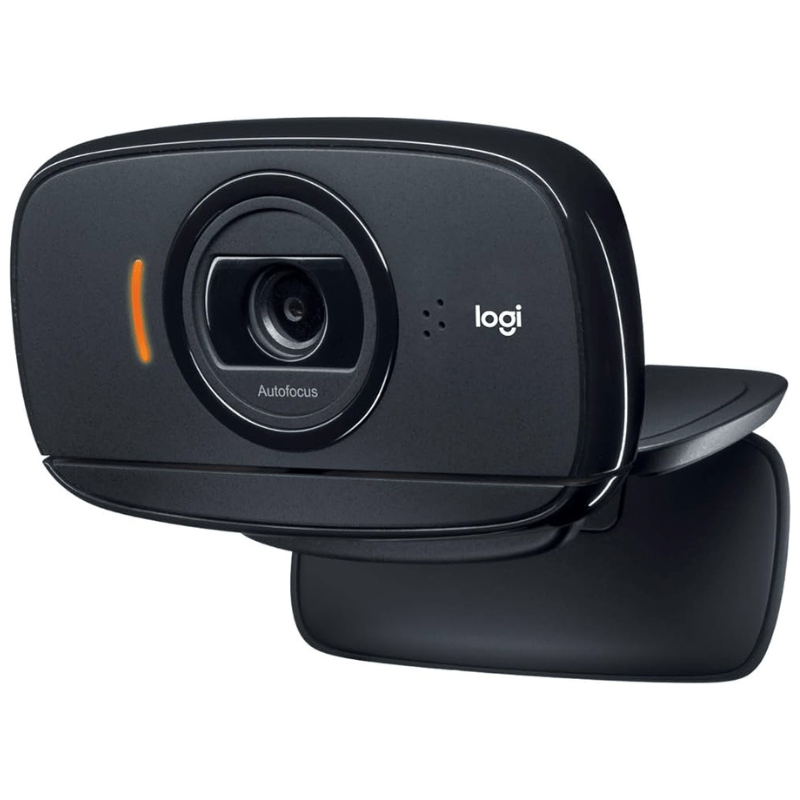
Logitech C525 — Portable HD Video with 360-Degree Flexibility
The Logitech HD Webcam C525 is the perfect solution for professionals and students who need high-quality video on the move. Its unique fold-and-go design allows you to slip it into your bag without worrying about scratching the lens. Featuring a full 360-degree swivel, the C525 gives you the freedom to record or call from any angle, ensuring you always find the perfect shot.

The compact, swivel-ready design of the Logitech C525.
To unlock advanced features like RightLight™ 2 technology for better low-light performance and autofocus management, installing the Logitech Camera Settings software is essential. This allows you to fine-tune your HD 720p video calls, manage the built-in noise-canceling microphone, and ensure your face remains in sharp focus even during close-up demonstrations.
Logitech C525 Technical Specifications
- Resolution: HD 720p Video Calling & Recording
- Focus Type: Fluid Autofocus System
- Design: 360° Full Swivel / Fold-and-Go
- Photos: Up to 8 Megapixels (Software Enhanced)
- Microphone: Integrated with Noise Reduction
- Cable Length: 1.5 meters (5 feet)
- Technologies: RightLight™ 2, RightSound™
- Connection: USB 2.0 (High Speed)
- Mounting: Universal Laptop/Monitor Clip
- Compatibility: Windows 10/11, macOS, ChromeOS
Portable Video Optimization: Get the Most from C525
Using the Logitech Camera Settings tool helps you overcome the challenges of calling from different locations:
- One-Click Autofocus: Ensure the camera locks onto your face quickly when you change your sitting position or background.
- Light Correction: Manually adjust brightness and contrast when working in cafes or bright outdoor environments.
- Digital Zoom: Frame yourself perfectly without physically moving the camera closer to your face.
Download Logitech C525 Driver & Support Software
Optimize your video quality and manage autofocus settings. Download the latest Logitech Camera Settings or legacy LWS software for your system below.
Product Support & Essentials
- Brand: Logitech
- Model: HD Webcam C525
- Verified: Full HD Support ✅
- Interface: USB Plug-and-Play
- Lens Type: Plastic / Standard Optics
- Driver: Official Logitech Verified
? FAQ
Why is my C525 autofocus not working correctly?
Ensure the camera lens is clean. If you are too close (less than 7cm) or the room is too dark, the autofocus may struggle. Install the Logitech Camera Settings software to manually override the focus if it keeps “hunting” during your video calls.
Can I use the C525 with Windows 11?
Yes! The Logitech C525 is a UVC-compliant device. Windows 11 will recognize it immediately. For the best experience with modern apps like Zoom or Teams, we recommend using the Logitech Camera Settings utility to manage exposure and focus.
How do I use the 360-degree swivel safely?
The C525 is designed to rotate freely. However, be careful not to tangle the USB cable while spinning the camera. This feature is great for showing something else in your room without having to move your entire laptop or monitor.

 (1 votes, average: 1.00 out of 5)
 Loading...
