


Gone are the days of grainy, pixelated video calls. In today’s digital world, where video conferencing has become the norm for business meetings, online classes, and even casual catch-ups with friends and family, a reliable webcam with excellent image quality is no longer a luxury, but a necessity.
Logitech, a leading name in computer peripherals, offers a diverse selection of webcams catering to various needs and budgets. From crystal-clear 4K resolution for professional presentations video meetings (think Logitech Brio) to budget-friendly options with built-in microphones and auto white balance for everyday video calls, there’s a Logitech webcam waiting to elevate your online presence.
This comprehensive guide delves into the best Logitech webcams, analyzing their strengths, weaknesses, and ideal use cases. We’ll explore factors like resolution, frame rate, low-light performance, and additional features like autofocus and integrated privacy shutters. Whether you’re a business professional seeking a top-of-the-line webcam for video meetings or a casual user prioritizing affordability and basic functionality, this guide equips you with the knowledge to choose the best Logitech webcam to transform your video calls, photos, and even streaming experiences (yes, some Logitech webcams boast impressive streaming resolutions!). So, ditch the blurry, outdated camera on your laptop and join us as we explore the exciting world of Logitech and best webcams below!
Choosing the Right Logitech Webcam: Factors to Consider
Before diving into specific models, let’s explore the key factors influencing your choice:
- Resolution and Frame Rate: Resolution refers to the number of pixels captured, impacting picture quality. Higher resolutions (e.g., 4K, 1080p) offer sharper images, ideal for presentations and professional settings. Frame rate determines the smoothness of motion. Generally, 60fps provides a more fluid video experience compared to 30fps.
- Image Quality: Image quality encompasses factors like sharpness, color accuracy, and low-light performance. Consider environments where you’ll use the webcam. If well-lit conditions are typical, a basic model might suffice. However, for low-light situations, prioritize webcams with excellent low light correction capabilities.
- Field of View: Field of view determines how much of your surroundings the webcam captures. Wider fields of view are ideal for presentations or including multiple people in a video call. Narrower fields keep the focus on you.
- Features: Consider additional features like autofocus for maintaining focus during movement, built-in microphones for clear audio, and privacy shutters to physically block the lens when not in use.
- Compatibility: Ensure the webcam is compatible with your operating system (Windows, Mac) and video conferencing apps (Zoom, Microsoft Teams, Google Meet). Most Logitech webcams offer broad compatibility.
- Software: Unlock additional features with Logitech Webcam Software
- Price: Logitech webcams range from budget-friendly options to high-end models with premium features. Define your needs and budget to find the best value.
Logitech MX Brio: A High-End Webcam for Discerning Users
The Logitech MX Brio is a premium webcam designed for those who demand the best. It boasts impressive features like:

- Ultra-HD resolution (4K at 30 fps): Capture stunning detail and clarity for professional video calls and presentations.
- HDR compatibility: Enjoy vibrant and lifelike visuals with a wider range of colors and improved contrast.
- Excellent low-light performance: Look sharp even in poorly lit environments thanks to a larger sensor.
- Wide field of view (adjustable): Fits multiple people in video calls or allows for a focused view.
- Logitech Capture software (included): Unlock features like background removal and manual camera adjustments.
While it comes with a premium price tag, the MX Brio is a compelling choice for discerning users who prioritize exceptional video quality, advanced features, and a truly customized video experience.
Logitech 4K Pro Webcam: Sharper Image for Serious Callers
The Logitech 4K Pro Webcam elevates your video conferencing game with features ideal for serious callers and casual streamers:
- Ultra-HD Resolution (4K at 30 fps): Experience crisp details and sharp visuals, perfect for presentations and professional video calls.
- RightLight 3 with HDR: Auto-adjusts lighting for a consistently balanced image, even in challenging lighting conditions.
- Autofocus and Noise-Canceling Mics: Ensures you’re always in focus and your voice is heard clearly.
- Versatility: Choose from 90°, 78°, or 65° field of view to fit your needs, and mount it on a monitor or tripod.
- Logitech 4K Pro Webcam software: Unlock background removal (green screen effect) and other enhancements (purchased separately).
While not the top-of-the-line option, the 4K Pro Webcam offers a solid balance of high-resolution video, good low-light performance, and a comfortable price point for those who prioritize a significant upgrade over a basic webcam.
Logitech Brio 500: A Balanced Choice for Upgraded Video Calls
The Logitech Brio 500 strikes a balance between affordability and features, making it a good option for those seeking a step-up from a basic webcam: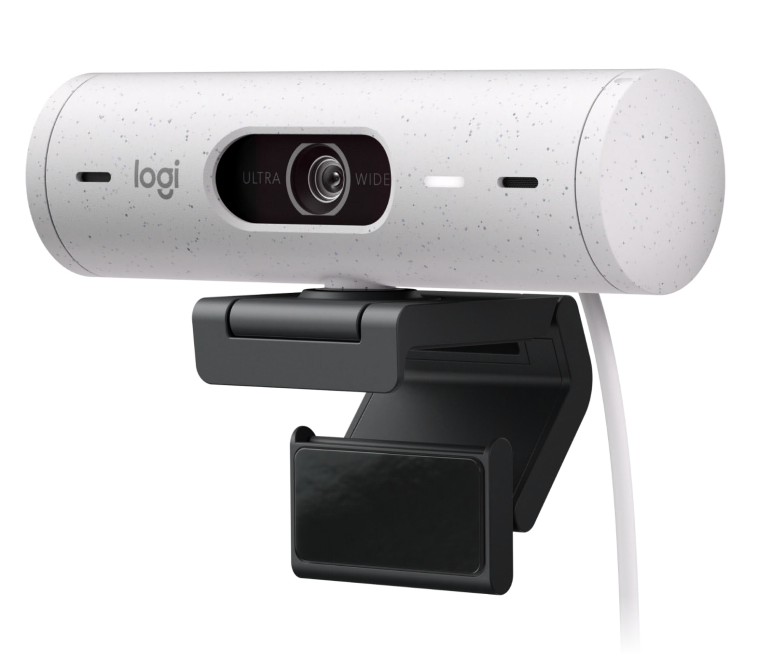
- Full HD Resolution (1080p at 30 fps): Capture clear and detailed video for everyday video calls and casual streaming.
- HDR Support: Enjoy improved color range and contrast for a more natural and visually appealing image.
- Auto Light Correction: Ensures you’re well-lit even in varying lighting conditions.
- Built-in Privacy Shutter: Provides peace of mind with a physical slider to block the camera lens.
- Noise-Canceling Microphones: Delivers clear audio for effective communication.
- Wide Field of View (78°): Comfortably accommodates multiple people in video calls.
- Logitech Brio 500 Software (Optional): Unlock additional features like background removal (green screen effect) for a more professional setup (purchased separately).
The Brio 500 offers a significant upgrade over most built-in webcams with its Full HD resolution, HDR support, and privacy shutter, all at a reasonable price point. It’s a good choice for budget-conscious users who prioritize clear video quality with some additional features.
Logitech C920s Pro HD Webcam: A Reliable Workhorse for Everyday Video Calls
The Logitech C920s Pro HD Webcam is a solid choice for users seeking a dependable and affordable upgrade over their computer’s built-in webcam. Here’s a quick rundown of its key features: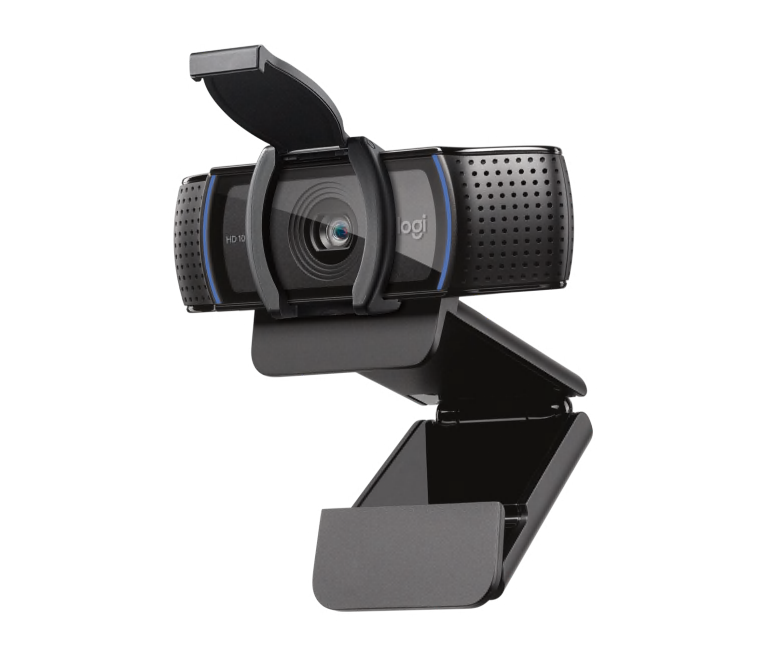
- Full HD Resolution (1080p at 30 fps): Delivers clear and sharp video quality for everyday video calls, webinars, and casual streaming.
- Autofocus and Auto Light Correction: Ensures you’re always in focus and well-lit, even in varying lighting conditions.
- Crystal-Clear Audio: Dual stereo microphones with noise cancellation capture clear audio, minimizing background noise.
- Wide Field of View (78°): Comfortably accommodates multiple people in the frame, ideal for group conferences.
- Simple Setup: Connects via USB for a hassle-free setup process.
- Affordable Price: Offers excellent value for its price point, making it a budget-friendly option for most users.
- Logitech C920s Software: Unlocks additional features
The C920s Pro HD Webcam is a reliable workhorse for everyday video calls. It offers good video quality, decent audio, and a wide field of view at an attractive price point. If you prioritize affordability and a noticeable upgrade over your built-in webcam, the C920s Pro HD Webcam is a strong contender.
Logitech C922 Pro HD Stream Webcam: A Step Up for Streamers on a Budget
The Logitech C922 Pro HD Stream Webcam caters to streamers and casual content creators seeking a step up from a basic webcam without breaking the bank. Here’s a snapshot of its key features: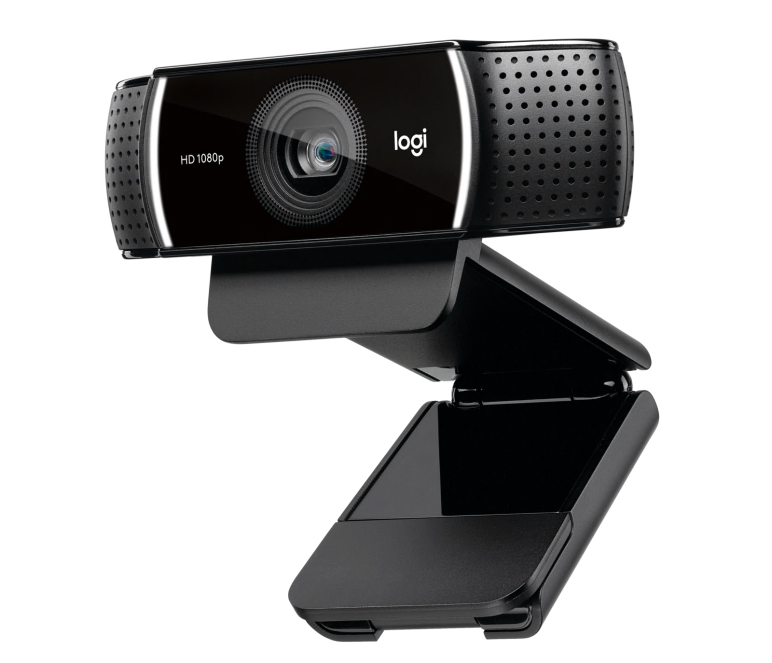
- Full HD Resolution (1080p at 30 fps): Capture decent video quality for basic streaming and video calls.
- Improved Low-Light Performance: Compared to the C920s, the C922 offers slightly better performance in low-light conditions.
- Dual Stereo Microphones: Capture clear audio for effective communication during streams.
- Optional Background Removal: Logitech Capture software (purchased separately) allows for background removal (green screen effect) for a more professional streaming setup.
- Built-in Privacy Shutter: Provides peace of mind with a physical slider to block the camera lens.
- Versatility: Mount it on a monitor, tripod, or use the included clip.
- Affordable Price: Offers a good balance between features and price, making it a budget-friendly option for beginner streamers.
- Logitech C922 Pro Software: Unlocks additional features
The C922 Pro is a solid mid-range option for streamers looking for a step up in video quality, particularly in low-light environments. The built-in privacy shutter and optional background removal with Logitech Capture software add a touch of professionalism. However, if you prioritize higher frame rates or top-notch video quality, consider exploring higher-end Logitech webcams.
Logitech Brio 300: A Simple and Affordable Full HD Solution
The Logitech Brio 300 is a no-frills webcam ideal for users seeking a basic upgrade over their computer’s built-in webcam at a budget-friendly price. Here’s a quick look at its key features: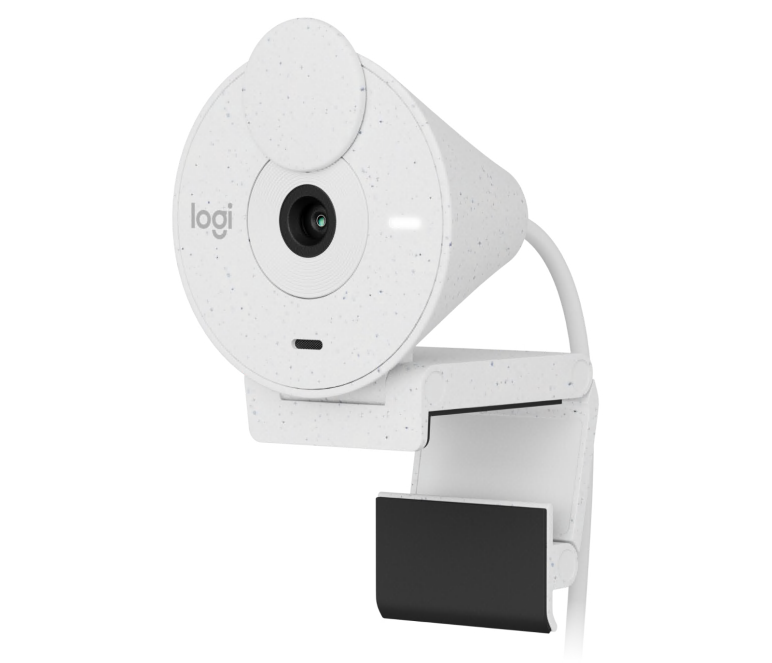
- Full HD Resolution (1080p at 30 fps): Provides a noticeable improvement in video quality compared to most built-in webcams, suitable for everyday video calls and casual online interactions.
- Fixed Focus Lens: Ensures you’re in focus at a pre-set distance, ideal for static setups where you won’t be moving around much.
- Decent Low-Light Performance: Auto light correction helps maintain good image quality even in less than ideal lighting conditions.
- Built-in Microphone: Features a single microphone for capturing your voice during calls.
- Simple Setup: Connects via USB for a hassle-free setup process.
- Compact Design: Takes up minimal desk space, making it ideal for crowded setups.
- Available Colors: Comes in three color options (off-white, rose, and graphite) to complement your workspace aesthetics (availability may vary).
- Logitech Brio 300 Software: Unlocks additional features
The Brio 300 prioritizes affordability and simplicity. It delivers decent Full HD video quality, sufficient for basic video calls, and includes a built-in microphone for audio capture. The lack of autofocus and some advanced features might not suit users who require more flexibility or higher video quality. However, if you’re on a budget and simply want a reliable upgrade from your built-in webcam, the Brio 300 is a solid choice.
Logitech Brio 100: Budget-Friendly Full HD for Basic Needs
The Logitech Brio 100 is a webcam designed for users seeking a simple and affordable way to elevate their video calls from a built-in webcam. Here’s a quick rundown of its key features: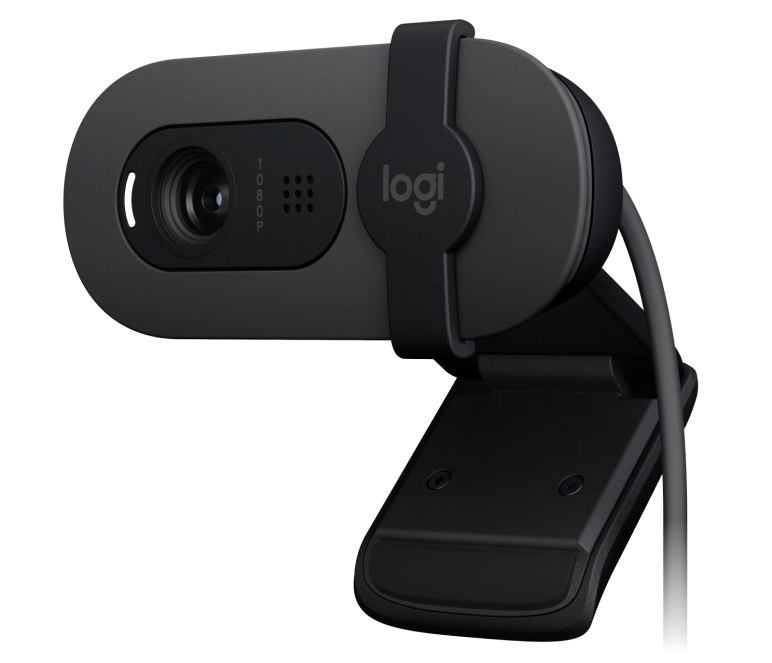
- Full HD Resolution (1080p at 30 fps): Offers a noticeable improvement in video quality over most laptop webcams, suitable for everyday video calls and online meetings.
- Auto-Light Balance: Equipped with RightLight 2 technology to improve brightness by up to 50% in low-light conditions, ensuring you’re well-lit during calls.
- Built-in Microphone: Features an omnidirectional microphone for capturing your voice during video calls, with a pick-up range of up to 1 meter.
- Simple Setup: Connects via USB for a plug-and-play experience.
- Compact Design: Small footprint takes up minimal desk space, making it ideal for minimalist setups.
- Integrated Privacy Shutter: Provides peace of mind with a physical slider to block the camera lens for added security.
- Limited Features: Lacks advanced features like autofocus, wider field of view, or high frame rates.
The Brio 100 prioritizes affordability and basic functionality. It delivers decent Full HD video quality with improved low-light performance, making it suitable for everyday video calls. The built-in microphone and privacy shutter add convenience and security. However, the lack of autofocus, limited field of view, and lower frame rate might not be ideal for users who require more flexibility or smoother video for streaming or presentations. If you’re on a tight budget and prioritize a simple upgrade for basic video calls, the Brio 100 is a contender.
Logitech C270 HD Webcam: Basic But Reliable for Budget-Conscious Users
The Logitech C270 HD Webcam is a budget-friendly option for users seeking a simple and affordable way to improve their video calls over a built-in webcam. Here’s a quick rundown of its key features: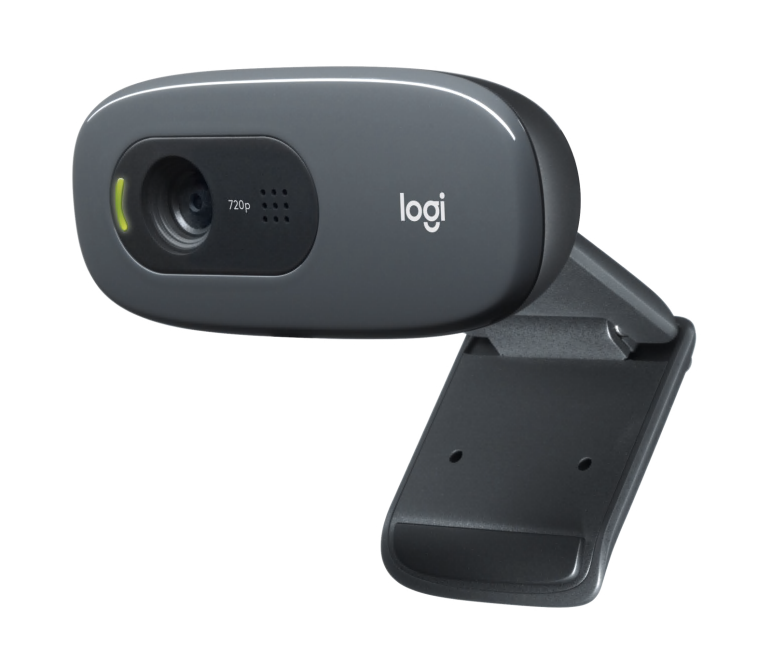
- 720p Resolution (HD) at 30 fps: Delivers a noticeable step up in video quality compared to most built-in webcams, suitable for basic video calls and online interactions.
- Fixed Focus Lens: Focuses at a pre-set distance, ideal for static setups where you won’t be moving around much.
- Built-in Microphone: Features a mono microphone for capturing your voice during calls.
- Simple Setup: Connects via USB for a hassle-free setup process.
- Compact Design: Takes up minimal desk space, making it ideal for crowded setups.
- Affordable Price: One of the most budget-friendly options from Logitech.
- Logitech C270 HD Webcam Software: Unlocks additional features
The C270 prioritizes affordability and simplicity. It provides a significant improvement in video quality over most built-in webcams, making video calls clearer. While it lacks features like autofocus, higher resolution, or a wider field of view, it’s a dependable choice for users on a tight budget most people who just need a basic upgrade for video conferencing.
Logitech StreamCam: A Streamer’s Companion with Style and Features
The Logitech StreamCam caters to aspiring streamers and content creators seeking a webcam that balances good video quality with a focus on design and ease of use. Here’s a quick look at its key features: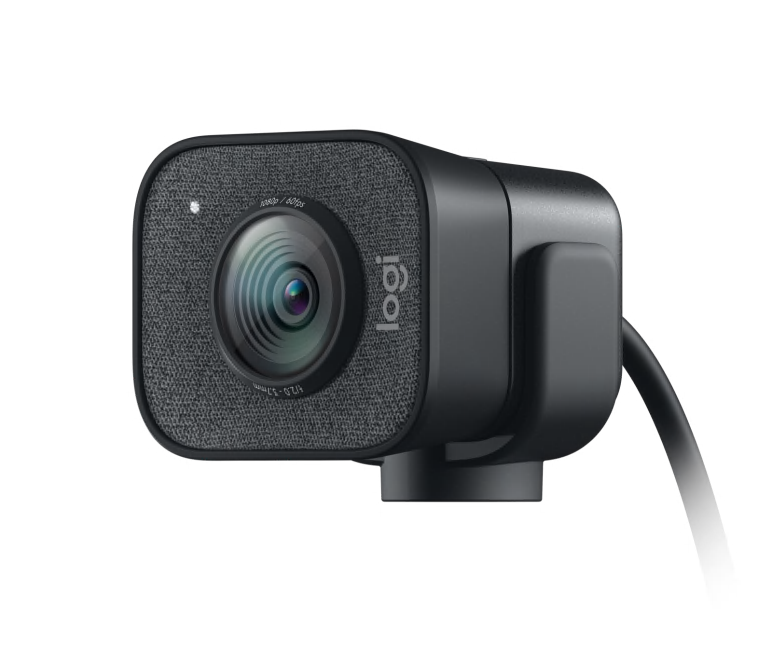
- Full HD Resolution (1080p at 60 fps): Delivers smooth and fluid motion, ideal for capturing fast-paced content or gameplay.
- Premium Glass Lens: Offers sharp and clear image quality for your streams.
- Versatile Mounting Options: Includes a monitor mount and tripod thread, allowing for flexible placement according to your setup.
- Image Stabilization: Reduces camera shake for a more polished stream, even if you bump your desk.
- Dual Omnidirectional Mics with Noise Reduction: Captures clear audio while minimizing background noise.
- Logitech Capture Software (Optional): Unlocks features like background removal and scene profiles for a more professional streaming experience (purchased separately).
- Stylish Design: Sleek and compact design with black or white color options to complement your streaming setup.
- Logitech StreamCam Software: Unlocks additional features
The StreamCam goes beyond a basic webcam, offering features streamers will appreciate. The smooth 60 fps video, high-quality lens, and versatile mounting options make it lightweight webcam ideal for capturing high-quality content. While the software for advanced features is separate, the StreamCam is a strong contender for content creators seeking a stylish and feature-rich webcam to elevate their streams.
Logitech 4K Pro Magnetic Webcam: A Premium Choice for Apple Pro Display XDR Users
The Logitech 4K Pro Magnetic Webcam is a niche offering designed specifically for users with Apple’s Pro Display XDR. Here’s a breakdown of its key features: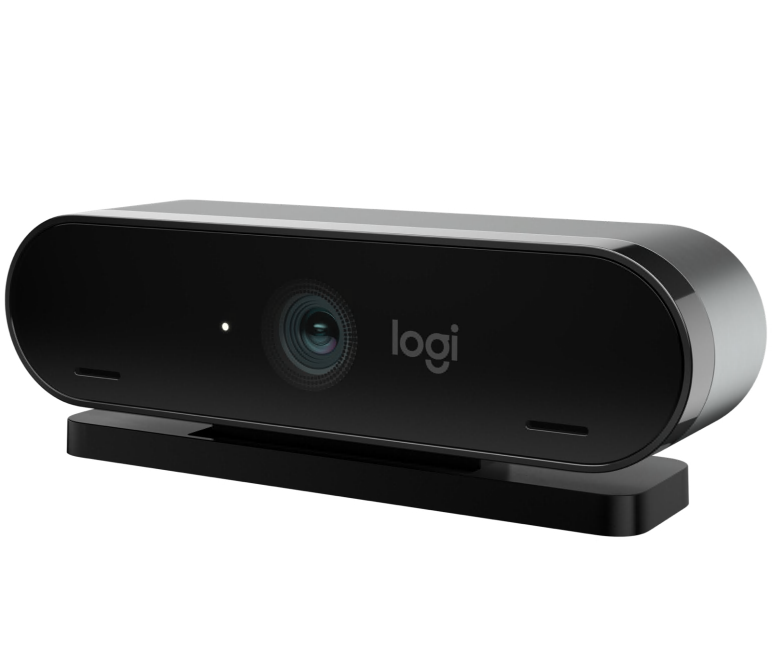
- Ultra-HD Resolution (4K at 30 fps): Captures stunning detail and clarity, ideal for high-resolution video calls and presentations, maximizing the potential of the Pro Display XDR’s high-resolution screen.
- Magnetic Mount: Seamlessly attaches to the top of the Pro Display XDR with a powerful magnet, ensuring a secure and elegant connection. (Note: Only works in landscape mode)
- RightLight 3 with HDR: Automatically adjusts lighting for a balanced image, even in challenging lighting conditions.
- Autofocus and Noise-Canceling Mics: Ensures you’re always in focus and your voice is heard clearly during calls.
- Limited Compatibility: This webcam is specifically designed for the Apple Pro Display XDR and won’t work with other monitors or computers.
- Logitech 4K Pro Magnetic Software: Unlocks additional features
The 4K Pro Magnetic Webcam is a premium option for a very specific user group – those with Apple’s Pro Display XDR. It offers excellent 4K video quality, HDR support, and a convenient magnetic mount that integrates seamlessly with the Pro Display XDR. However, the limited compatibility and potentially higher price tag make it a niche product not suitable for most users. If you have a Pro Display XDR and prioritize the absolute best video quality for video conferencing or presentations, the 4K Pro Magnetic Webcam is worth considering. Otherwise, other Logitech webcams with broader compatibility might be a better fit.
Beyond Image Quality: Essential Software Considerations
Most Logitech webcams Software come bundled with Logitech Tune. This software allows you to fine-tune various settings like white balance, contrast, and color saturation. You can also manually adjust zoom levels, frame rate, and microphone gain within the software. For advanced users who want granular control over their webcam’s performance, Logitech Tune Software is a valuable tool.
Security and Privacy: The Importance of Privacy Shutters
In today’s privacy-conscious world, a physical privacy shutter is a valuable feature. Several Logitech webcams, including the Brio, StreamCam, and C920s, come equipped with built-in privacy shutters. These shutters allow you to physically block the webcam lens when not in use, providing peace of mind and an extra layer of security.
Mounting Options: Finding the Perfect Fit
Most Logitech webcams offer versatile mounting options. The standard option is a monitor mount that clips onto the top of your laptop or desktop monitor. Some webcams, like the StreamCam, also offer tripod mounts for more flexible placement options. Consider your workspace setup and how you plan to use the webcam when choosing a model with the appropriate mounting options.
Compatibility: Ensuring Seamless Integration
While most Logitech webcams offer broad compatibility with Windows and Mac operating systems, it’s always a good practice to double-check before purchasing. Additionally, ensure compatibility with your preferred video conferencing apps like Zoom, Microsoft Teams, and Google Meet. Most Logitech webcams advertise compatibility with several years these popular platforms on their packaging or product information pages.
Upgrading Your Webcam: Is it Worthwhile?
Upgrading your webcam can significantly improve your video conferencing and streaming experience. Here are some signs it might be time for an upgrade:
- Poor Image Quality: If your current webcam produces blurry, grainy, or discolored video, an upgrade can significantly enhance your video calls.
- Low Resolution: If you frequently participate in video conferences or presentations, consider a webcam with a higher resolution (1080p or 4K) for a more professional presentation.
- Limited Features: If your current webcam lacks essential features like autofocus, low-light correction, or a built-in microphone, an upgrade can improve functionality and convenience.
Conclusion: Unveiling the Perfect Logitech Webcam for You
Logitech reigns supreme in the webcam market, offering a diverse range of options to cater to various needs and budgets. From crystal-clear 4K resolution for discerning professionals (Logitech 4K Pro Webcam) to budget-friendly options with good image quality (Logitech C270 HD Webcam), there’s a Logitech webcam to elevate your video experience.
Prioritizing Image Quality:
For users seeking the absolute best image quality, look no further than the Logitech Brio series most webcams. The MX Brio boasts exceptional 4K 30fps resolution, while the 4K Pro offers a solid balance of high-resolution video and HDR support. These webcams are ideal for professionals who demand top-notch video quality for presentations or high-resolution video conferencing.
Streamers Take Center Stage:
Gamers and aspiring streamers can rejoice! The Logitech StreamCam delivers smooth 1080p 60fps video, perfect for capturing fast-paced content. It also features a versatile mounting system and optional Logitech Capture software for background removal and scene profiles, making it a feature-rich companion for creating professional-looking streams.
Finding the Perfect Balance:
Many users fall into a sweet spot where good image quality, affordability, and essential features are key. The Logitech C920s Pro HD Webcam is a perennial favorite, offering a reliable 1080p or 720p resolution (depending on your preference streaming resolution) at a typical price point. It includes a built-in microphone for clear audio and auto exposure for balanced lighting.
Beyond the Basics:
For those who crave more features, Logitech offers a compelling selection. The Brio series stands out with features like auto focus, Logi Tune software for manually adjusting settings (available for some models), and a built-in privacy cover for added security. Other webcams, like the 4K Pro Magnetic Webcam, cater to specific needs with unique features like a magnetic mount for Apple’s Pro Display XDR.
Final Thoughts:
Whether you’re a business professional prioritizing top-notch image quality, a streamer seeking smooth video for your content, or simply looking for a good webcam with a built-in mic for everyday video calls, there’s a Logitech webcam out there to meet your needs. Consider factors like resolution, frame rate, built-in features (like auto focus or a privacy cover), and software compatibility (like Windows Hello) to find the best fit for you. Remember, senior editors and reviewers consistently rank Logitech among the best webcam brands, offering a combination of quality, build quality, and features at various price points. So, explore the diverse Logitech webcam selection, and take your video calls, conferences, or streams to the next level!
 (No Ratings Yet)
 Loading...
