


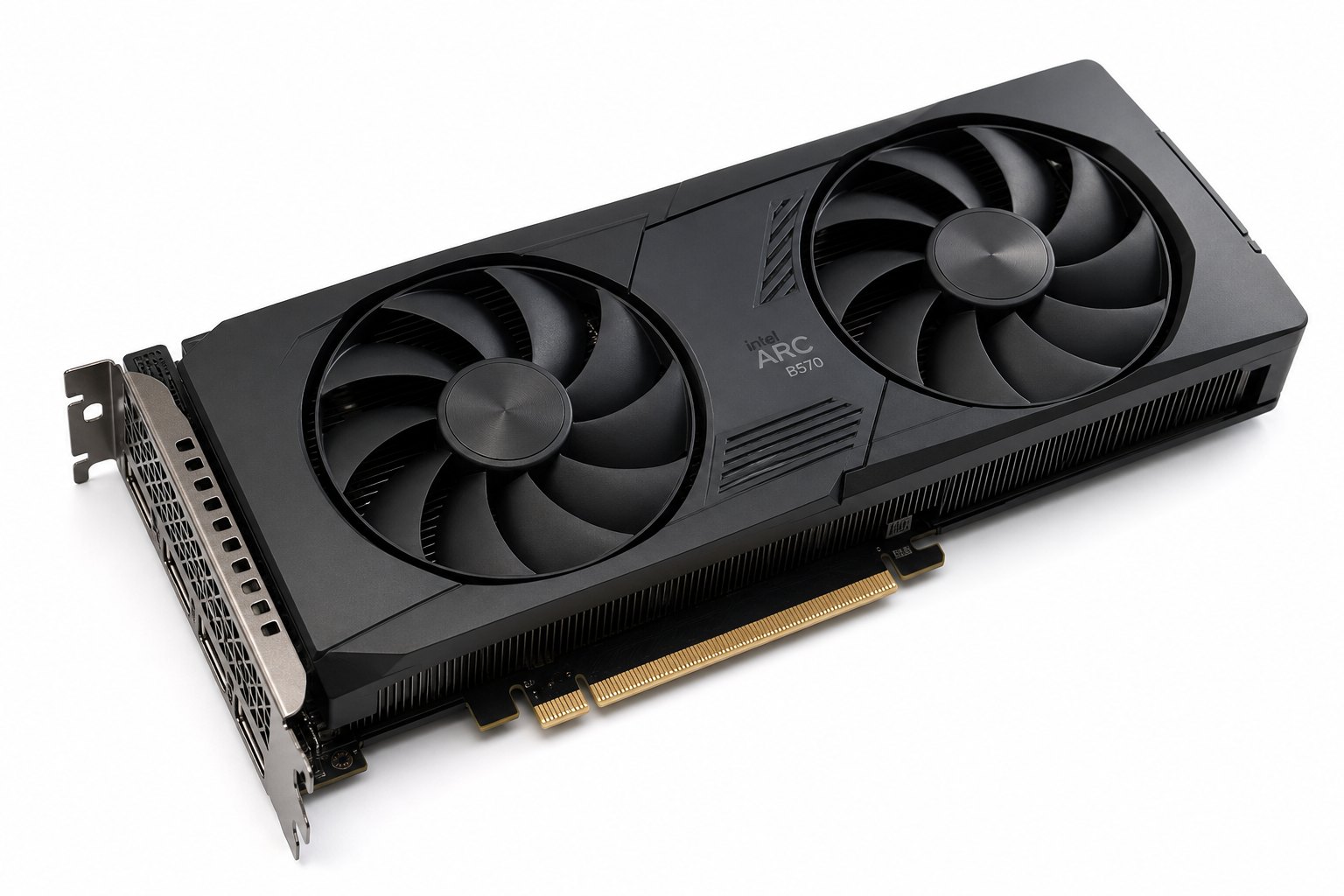
Intel Arc B570 Drivers & Software
The Intel Arc B570 page is built for users who want one clean place to download the latest Intel graphics software and understand what the Intel driver controls. Instead of sending you through scattered support pages, PlugDriver keeps the Intel graphics driver path simple and explains setup, features and troubleshooting in one place.
This page focuses on Intel Arc B570 as a software and driver resource, so the important details are the Intel graphics package, installation steps, supported media and gaming features and practical fixes when the installer needs a clean refresh. The download action is kept as a button, while the visible article stays focused on software, drivers and setup guidance.
Quick download: Intel Graphics Driver 32.0.101.8826 is available from Intel for Intel Arc B570. Use the button below to open the official Intel download page, then run the installer and let the Intel Graphics Command Center or Intel Arc Control confirm the graphics adapter.
Intel Arc B570 Software
Hosted Intel Graphics Driver 32.0.101.8826
Intel graphics software for Intel Arc B570
Intel graphics software manages the driver, display settings, game profiles, media acceleration and update flow for Intel Arc B570. After installation, the Intel Graphics Command Center or Intel Arc Control can expose performance, display, color and capture controls depending on the GPU generation and driver package.
The Intel package is useful for gamers, creators and workstation users who want stable display output, AV1 media acceleration and current game profiles. It is also the right first stop when replacing an old driver or troubleshooting a fresh Intel Arc installation.
Key features for Intel Arc B570
- Official Intel graphics driver path for Intel Arc B570.
- Intel graphics detection and update flow through the Intel installer.
- Graphics features such as Intel XeSS, DirectX 12 Ultimate, hardware ray tracing, AV1 encode and decode, Intel Arc Control, Deep Link and Quick Sync Video.
- Driver, performance, display and media controls in one Intel software stack.
- Useful for refresh installs, driver updates and troubleshooting older Intel graphics packages.
Specifications for Intel Arc B570
| GPU family | Intel Arc B570 |
| Architecture | Xe2 Battlemage |
| Memory | 10 GB GDDR6 |
| Memory bus | 160-bit |
| Compute units | 18 Xe-cores / 2304 shaders |
| Boost clock | Up to 2600 MHz boost |
| Typical board power | 150W typical board power |
| Recommended PSU | 500W recommended system power |
| Display outputs | DisplayPort 2.1a and HDMI 2.1 support through partner cards |
| Release | January 2025 |
Balanced 1080p and 1440p gaming with modern Xe2 features and 10 GB memory. These figures describe the GPU class; partner-card factory clocks, cooling, ports and power connectors can vary by exact board model.
Installation guide for Intel Arc B570
- Open the official Intel graphics driver page for Intel Arc B570 from the button above.
- Download the Intel graphics installer and close games, overlays and recording tools before running setup.
- Run the installer and follow the recommended installation path.
- Choose the default driver package unless you need a specialized workstation or managed-driver workflow.
- Restart the PC when prompted, then open Intel Graphics Command Center or Intel Arc Control to confirm the graphics adapter is detected.
Troubleshooting Intel Arc B570 software and drivers
If the installer stops, fails to detect the GPU or leaves display settings unstable, perform a clean driver installation. Restart in normal mode, remove the current Intel graphics package through Windows Settings or Apps, reboot and run the Intel installer again.
For black screen, flickering or low performance after an update, check the monitor cable, confirm the display is connected to the Intel graphics adapter and remove old third-party tuning profiles. If the problem started immediately after a driver change, use a clean install or roll back to the previous stable Intel graphics package.
Games and apps for Intel Arc B570
Intel Arc B570 is aimed at modern games, media workloads and creative apps that benefit from a current Intel graphics driver. Popular titles for testing include Cyberpunk 2077, Alan Wake 2, Black Myth: Wukong, Fortnite, Call of Duty, Apex Legends and Starfield, while creator apps can benefit from updated AV1, display and stability improvements from the Intel graphics package.
Video review for Intel Arc B570
FAQ: Intel Arc B570 drivers and software
Which Intel software should I download for Intel Arc B570?
Is the Intel Arc B570 driver package free?
Should I choose a clean install for Intel Arc B570?
Does Intel graphics software work with Intel Arc B570?
Why does PlugDriver link the Intel Arc B570 software package?
 (No Ratings Yet)
 Loading...
