


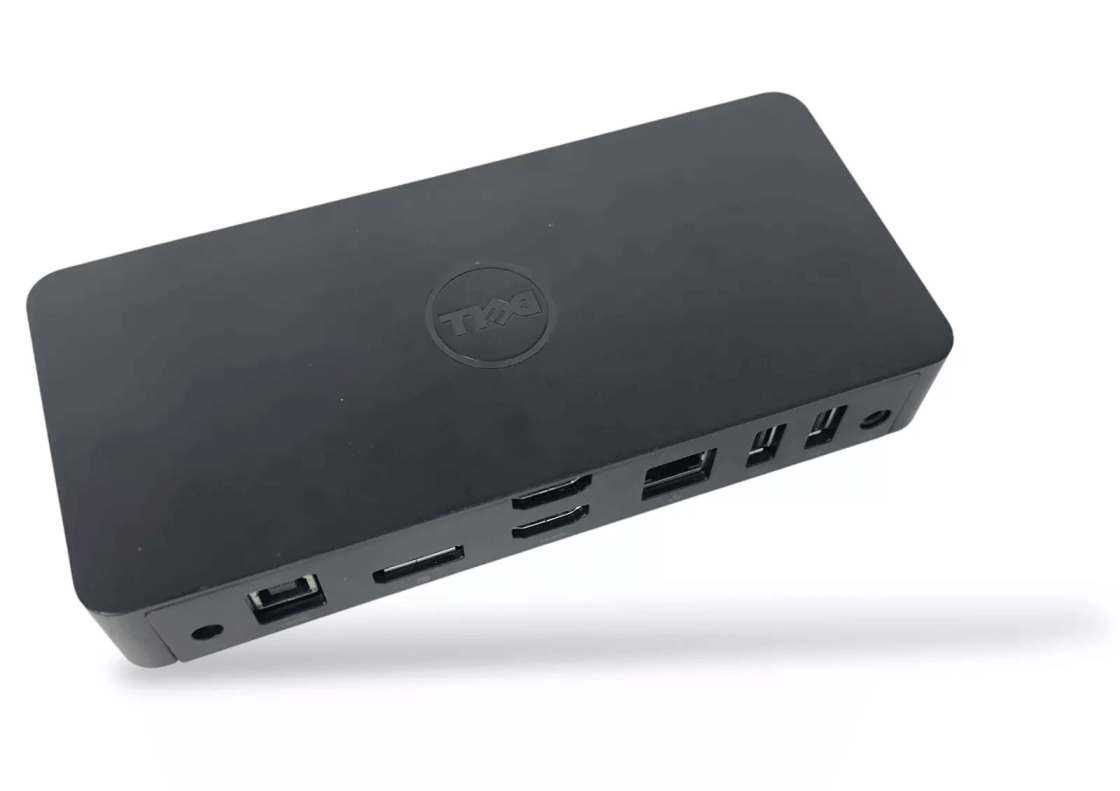
Dell D3100 Docking Station — Overview
The Dell D3100 is a compact USB 3.0 docking station that lets you expand a laptop with desktop‑class connectivity in seconds. It supports up to three external displays and adds essential ports for peripherals, networking, and audio, making it ideal for hot‑desking, hybrid work, and home office setups.
With a single USB connection to your PC, the dock provides multiple video outputs, USB expansion, Gigabit Ethernet, and audio jacks. Installing the proper driver package ensures stable multi‑monitor output, smooth USB performance, and reliable network connectivity across supported operating systems.
Dell D3100 Specifications
- Brand: Dell
- Model: Dell D3100 Docking Station
- Category: USB 3.0 Dock
- Host Connection: USB 3.0 Type‑A
- Video Outputs: 2 × HDMI, 1 × DisplayPort (via DisplayLink)
- Max Displays: Up to 3 external monitors (resolution depends on configuration)
- Ports: USB 3.0/2.0, Gigabit Ethernet (RJ‑45), 3.5 mm audio in/out
- Power: External power adapter for dock/peripherals
- Operating Systems: Windows 11/10/8/7; macOS (recent versions)
- Companion Software: Dell/DisplayLink driver package
- Use Case: Multi‑monitor productivity, peripheral expansion, hot‑desking
- Notes: Install official drivers for stable multi‑display and network performance
Key Features
- Drives up to three external displays for efficient multitasking and clear screen real estate.
- Single‑cable setup through USB 3.0 keeps your desk clean and quick to connect.
- Integrated Gigabit Ethernet for reliable wired networking and low latency.
- Multiple USB ports to attach keyboard, mouse, storage, and conferencing gear.
Download Dell D3100 Driver
The Dell D3100 driver is the official software required for your device to work properly with your OS. Installing the latest version of drivers ensures full functionality, better performance, and compatibility with all the features. Whether you are setting up your device for the first time or solving a technical issue, the latest driver version will help you achieve stable and reliable operation.
Plug Driver software is safe, verified, and free to download. The Dell D3100 driver is compatible with Windows 11/10/8/7 and MAC OS. Our team is regularly updating drivers to meet the latest system requirements.
How to Install Dell D3100 Drivers
- Download the latest driver version from the Plug Driver.
- Run the downloaded file as administrator.
- Follow the setup instructions on a screen.
- Restart your PC after installation completes.
- Connect your device and verify system recognition.
Important: close all third-party applications and temporarily disable antivirus during installation.
How to Update Dell D3100 Driver
- Open Windows Device Manager (Win+X → Device Manager).
- Locate your device and check the current driver version.
- Download the new version compatible with your OS.
- Install the update following the instructions.
- Restart and test device functionality.
Dell D3100 Driver update tips
- Create a system restore point before updating.
- If issues occur, uninstall the old driver first.
- Check for the device updates every 2–3 months.
How to Use Dell D3100 Driver
Once installed, the driver enables multi‑display output, USB hub functionality, network connection, and audio routing. Use the companion utilities to configure monitor layout, resolution, and performance options for the best experience.
? FAQ
Is the Dell D3100 Driver free to download?
Yes, our drivers are completely free and safe to download from verified sources.
Why should I update my Dell D3100 drivers?
Updating ensures better stability, multi‑monitor compatibility, and access to the latest features.
Do I need to uninstall the old driver before installing a new one?
In most cases, you can install the new version over the old one. However, a clean installation is recommended if you experience issues.
Tip: Click a question to expand the answer.

 (2 votes, average: 3.00 out of 5)
 Loading...
