


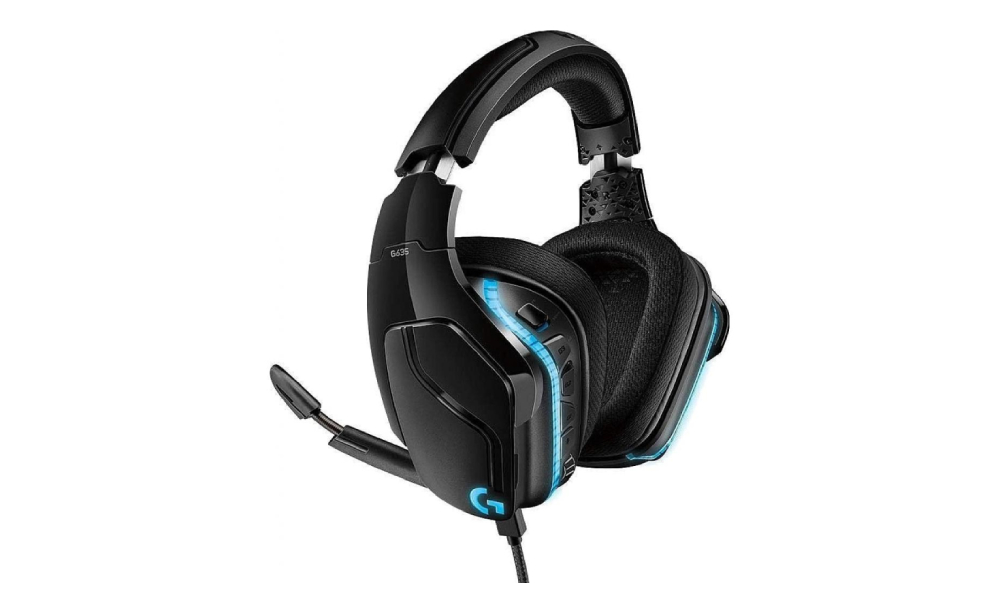
Conquer the digital battlefield and immerse yourself in rich soundscapes with the Logitech G635 7.1 LIGHTSYNC gaming headset. This versatile headset boasts comfortable design, reliable wireless connectivity, and immersive 7.1 surround sound, making it a valuable weapon in your gaming arsenal. But just like any high-performance equipment, keeping the drivers updated ensures your G635 operates flawlessly, delivering the responsiveness and audio clarity you need to dominate the competition.
If you’re looking for a comfortable and affordable wired gaming headset with good audio quality, a noise-canceling microphone, and surround sound capabilities (on PC), the Logitech G635 is a good option to consider. However, if you prioritize wireless connectivity or superior breathability in the ear cups, you might want to explore other options.
Logitech G635 Gaming Headset Specifications
Here’s a breakdown of the Logitech G635 7.1 Surround Sound Gaming Headset specifications:
- Drivers: 50mm Pro-G audio drivers – These are large drivers that have the potential to deliver rich and powerful sound.
- Frequency Response: 20 Hz – 20 kHz – This covers the entire range of human hearing, ensuring you hear in-game sounds and music accurately.
- Impedance: 39 Ohms (passive), 5k Ohms (active) – The low impedance allows the headset to be easily powered by various devices, including laptops, smartphones (with a USB-C adapter), and gaming consoles (with a USB adapter).
- Surround Sound: DTS® Headphone:X 2.0 surround sound – This technology aims to create a more immersive audio experience by providing 360-degree positional audio cues.
- Type: Unidirectional noise-canceling microphone – This design focuses on capturing your voice while reducing background noise for clearer communication during online gaming.
- Microphone Frequency Response: 100 Hz – 16 kHz – Optimized for capturing the frequencies of the human voice clearly.
- Lightweight Design: Weighs only 240g (8.5 oz) for comfortable wear during extended gaming sessions.
- Leatherette Ear Cups: Soft and comfortable, but might trap heat and cause sweating during long gaming sessions in warm environments.
- Adjustable Headband: Ensures a secure and comfortable fit for various head sizes.
- On-Ear Controls: Easy access to volume control, microphone mute button, and DTS Headphone:X 2.0 toggle.
- Wired Connection: Uses a 3.5mm jack cable for connection to most gaming devices, PCs, laptops, smartphones (with a USB-C adapter), and gaming consoles (with a USB adapter). An optional USB cable is included for powering the DTS Headphone:X 2.0 surround sound and microphone noise cancellation features on PCs.
- Logitech G HUB Software: Allows for advanced customization options like creating custom audio profiles, adjusting microphone noise reduction levels, and configuring surround sound settings (for PC only).
Benefits of Logitech G635 Gaming Headset Driver Update
Keeping your Logitech G635 Gaming Headset drivers updated can offer some benefits, particularly for PC users who leverage the optional Logitech G HUB software. Here’s a breakdown of the potential advantages:
- Improved DTS Headphone:X 2.0 Surround Sound: Driver updates might include refinements to the DTS Headphone:X 2.0 software, potentially leading to more accurate positional audio cues and a more immersive overall soundscape in games.
- Customizable Audio Profiles: Logitech G HUB software allows creating custom EQ settings for different game genres or audio preferences. Driver updates might introduce bug fixes or compatibility improvements for these features.
- Noise Reduction Optimization: Driver updates could potentially enhance the microphone noise cancellation algorithms, leading to clearer voice chat by further reducing background noise.
- Bug Fixes: Driver updates can address minor bugs that might cause issues like audio distortion, microphone malfunctions, or software compatibility problems.
- Security Patches: In rare cases, updates might include security patches to address potential vulnerabilities in the headset firmware.
Download Logitech G635 Software
At our website, we are committed to providing you with the best possible experience when it comes to your Logitech devices. That’s why we offer a wide range of free driver and software for Windows 10 and Windows 11, and Mac OS to ensure that your Logitech devices run smoothly and function optimally.
Whether you’re using a Logitech gaming keyboard, webcam, speaker, or any other Logitech device, we have the drivers and software you need to get the most out of your device. Our selection includes everything from basic drivers to advanced software that allows you to customize your Logitech devices to your liking.
Downloading drivers and software from our website is incredibly easy and convenient. Simply browse through our selection and choose the driver or software that’s right for your device and operating system. Then, click the download button and wait for it to be downloaded to your computer or laptop.
One of the benefits of downloading drivers and software from our website is that they are completely free. You don’t have to worry about any hidden fees or charges – all of our drivers and software are available for download at no cost to you.
Boost Your Device With Logitech G635 Gaming Headset Software
Driver updates are a crucial first step, but Logitech G HUB software unlocks the true potential of your G635. This downloadable software suite empowers you with a comprehensive array of advanced features and customization options specifically designed to elevate your gaming experience.
By keeping your drivers updated and leveraging the comprehensive capabilities of Logitech G HUB software, you ensure your Logitech G635 Wireless Gaming Headset operates at its full potential. This translates into a significant competitive edge, allowing you to hear every detail, communicate clearly, and dominate the competition.
Unlike some other services that share downloadable software, we don’t ask visitors to share personal data, create accounts, and somehow verify them or even pay for the download. Our service is 100% free and safe. Our specialists check all the files to ensure there are no dangerous files in there. Moreover, if there’s something you don’t understand, clarify it by contacting customer support representatives. They will answer all your questions and give you all the information about the drivers for the Logitech G635.
? Logitech G635 Headset — Software and Driver FAQ
Why is the correct installation of Logitech G HUB essential for the G635 headset?
Installing the necessary G HUB software correctly is crucial to ensure optimal performance, compatibility, and access to advanced features. G HUB guarantees activation of the **DTS Headphone:X 2.0 7.1 surround sound**, customization of the **LIGHTSYNC RGB** lighting, and programming of the three G-keys. Correct installation ensures the headset communicates with your operating system without issues, which results in improved performance, reduced latency, and better audio responsiveness in games.
How much disk space does the Logitech G635 G HUB software typically take up?
The disk space required for the G HUB software, which manages the Logitech G635, may vary depending on the version and the operating system you are using. The installer and core application typically take up around 100–200 MB of disk space. Keep in mind that this is just an estimate, and the actual size may vary. If you download numerous community profiles or use G HUB to support many other Logitech G devices, this may also impact the total disk space usage.
Why is it important to use high-quality, official G HUB drivers for the G635?
Having quality, official G HUB software is important because it is safe, efficient, provides essential firmware updates, and follows regulations. This helps guarantee the G635’s 7.1 surround features work correctly with modern games and operating systems. Using official software helps companies save money, maintain a good reputation, and ensures you receive reliable support without running into common issues like broken mic sync or unstable audio performance.
Tip: Click a question to expand the answer.

 (1 votes, average: 1.00 out of 5)
 Loading...
