


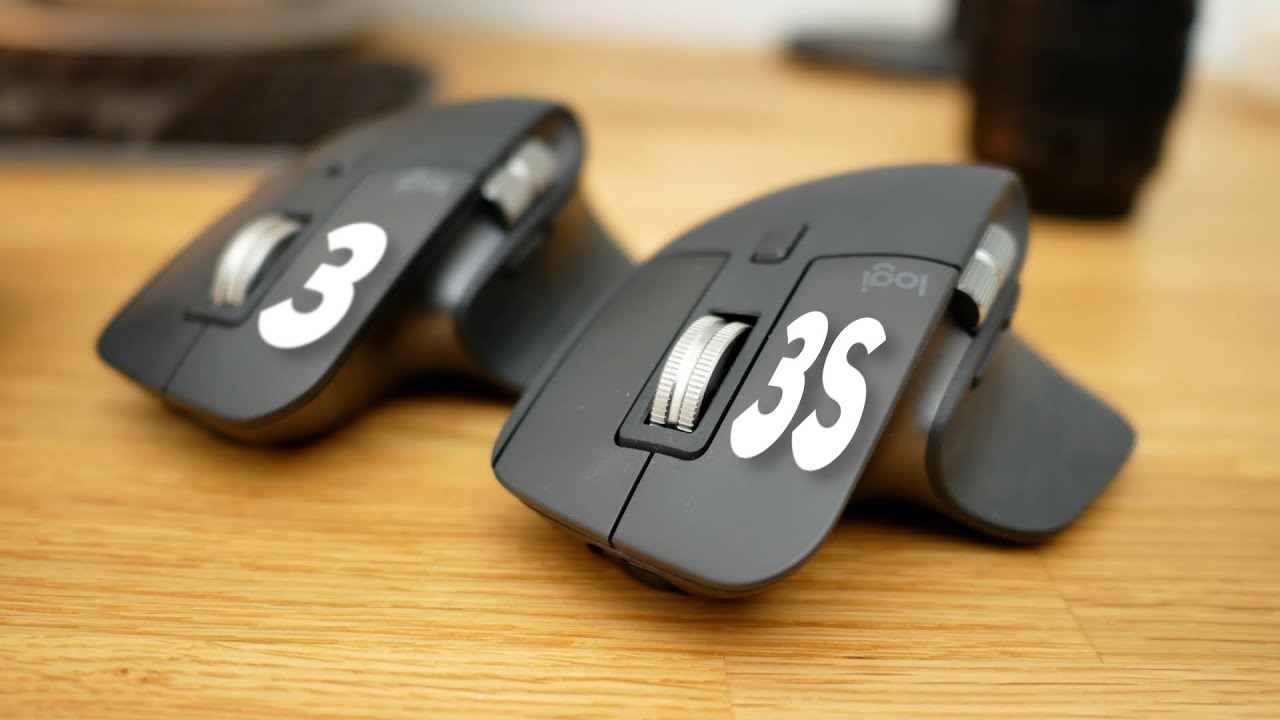
The MX Master Showdown: Unveiling the Differences Between Logitech MX Master 3 and MX Master 3S
Logitech’s MX Master series productivity mice has long reigned supreme as the go-to productivity mouse for creative professionals. But with the recent release of the MX Master 3S, many users are left wondering – is it a true upgrade, or simply a minor iteration? This in-depth comparison dives into the key distinctions between the old MX Master 3 and the MX Master 3S, helping you decide which mouse best suits your workflow.
Both mice boast impressive features like the MagSpeed scroll wheel for hyper-fast and silent scrolling, a comfortable sculpted design for extended use, and compatibility with both Mac and PC. However, there are some subtle yet potentially significant main differences to consider. Let’s delve into the details, dissecting aspects like connectivity, battery life, and software features.
We’ll explore the MX Master 3S’s new USB-C charging capability versus the MX Master 3’s USB-A connection. We’ll compare battery life claims and see if the MX Master 3S truly delivers a noticeable improvement. We’ll also investigate the Logi Bolt USB receiver introduced with the MX Master 3S, examining its potential advantages over the traditional Bluetooth connection used in the MX Master 3.
This comparison goes beyond technical specs. We’ll discuss how the each mouse feels in hand, thumb button placement, mouse click,, and software customization options offered by Logitech mouse drivers. Is the MX Master 3S’s slightly different thumb rest a game-changer, or a negligible detail? Does the MX Master 3S’s supposedly quieter click make a noticeable difference in daily use?
By the end of this comprehensive comparison, you’ll be well-equipped to make an informed decision. Whether you’re a seasoned MX Master user considering an upgrade, or a first-time buyer seeking the perfect productivity mouse, this guide and review will shed light on the nuanced differences between the Logitech MX Master 3 and the MX Master 3S, helping you choose the mouse that best empowers your creativity and streamlines your workflow.
The Logitech MX Master 3: Sculpting Productivity for Creators
Ditch the disruptive clicks and experience precise cursor control with the Logitech MX Master 3. This innovative mouse boasts the MagSpeed scroll wheel for effortless scrolling in silence. Featuring customizable options, seamless connectivity, and an ergonomic design, the MX Master 3 elevates your workflow and empowers your creativity. Unleash unparalleled efficiency and silent control – upgrade from your default mouse today!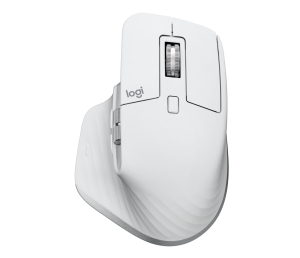
A Sculpted Fit for Comfort and Control:
The MX Master 3 boasts a sculpted design that effortlessly contours to your hand, promoting comfort during extended use. Whether you’re meticulously editing photos, navigating complex spreadsheets, or crafting intricate designs, the MX Master 3 promises to minimize hand strain. The thumb rest provides a natural resting spot, reducing fatigue and promoting a relaxed grip.
Unveiling the Power of the MagSpeed Scroll Wheel:
One of the MX Master 3’s defining features is its MagSpeed scroll wheel. This innovative wheel offers two distinct modes: a hyper-fast scrolling mode for effortlessly traversing long documents and web pages, and a precision mode for meticulous line-by-line scrolling. Switching between modes is seamless, allowing you to adapt to your specific needs on the fly. The MagSpeed wheel is also incredibly silent, a welcome change from the clicky scrolls of traditional mice.
Unleashing Customization with Logitech Options:
The MX Master 3 pairs beautifully with Logitech MX Master 3 Software, unlocking a universe of customization options. Assign specific actions to the six programmable buttons on the mouse, tailoring them to your favorite shortcuts or frequently used switches in your preferred app. Adjust DPI (dots per inch) settings for cursor speed that perfectly aligns with your workflow. Whether you crave lightning-fast cursor movements for design work or pixel-precise control for photo editing, the MX Master 3 lets you fine-tune your experience.
Connecting to Your Workflow Seamlessly:
The MX Master 3 offers a choice of connectivity options. Connect wirelessly via Bluetooth Low Energy for a clean and cable-free desk setup. Alternatively, utilize the included Logi Bolt USB receiver for a strong and reliable connection on far distance, even in congested wireless environments. The MX Master 3 boasts the ability to connect to up to three devices simultaneously, allowing you to seamlessly switch between your Mac, PC, or laptop with the press of a button.
Built for Creators, From Click to Charge:
The MX Master 3 features quiet click technology, ensuring a silent and distraction-free work environment. This is particularly beneficial for those who share a desk in a workspace or prefer a more peaceful atmosphere. The MX Master 3 boasts long battery life on a single charge, keeping you productive throughout your workday. And when it’s time to recharge, the USB-A charging cable ensures a quick and convenient power boost.
Beyond the Basics: Features to Enhance Your Workflow
The MX Master 3 offers a plethora of additional features that elevate the user experience. The thumb wheel enables effortless horizontal scrolling through long documents and web pages. The angled scroll wheel provides a comfortable and intuitive way to navigate. The MX Master 3 even tracks flawlessly on glass surfaces, eliminating the need for a dedicated trackpad or mouse pad.
A Productivity Powerhouse
The Logitech MX Master 3 is a meticulously crafted productivity mouse designed for creative professionals. From its sculpted design and MagSpeed scroll wheel to its customizable buttons and seamless connectivity, the MX Master 3 empowers you to create with greater efficiency and control. Whether you’re a seasoned creative professional or a budding artist, the MX Master 3 is a worthy companion on your creative journey.
While the MX Master 3S, a newer iteration, offers a few upgrades like USB-C charging, the core functionalities remain largely similar. Consider this review when making your decision.
The Logitech MX Master 3S: Refining the Masterpiece
The Logitech MX Master series has long been a favorite among creative professionals seeking a productivity mouse mechanical keyboard that elevates their workflow. The latest addition, the MX Master 3S, builds upon the success of its predecessor, the MX Master 3, offering subtle refinements and introducing a few key upgrades. This review explores the MX Master 3S, helping you decide if it’s the perfect tool to take your creativity to the next level.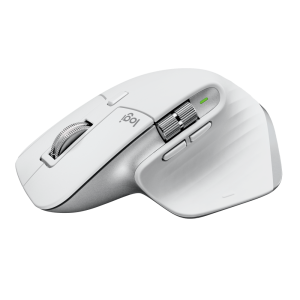
A Familiar Fit, Enhanced for Comfort:
The MX Master 3S inherits the sculpted design that made the MX Master 3 so popular. This design provides a comfortable and secure grip, even during extended use. The thumb rest remains a welcome feature, promoting a relaxed hand position and minimizing fatigue. While the overall feel is familiar to MX Master 3 users, some might find the MX Master 3S’s slightly different thumb rest contours to offer a touch more comfort.
The MagSpeed Scroll Wheel: Still a Master of Efficiency
The MX Master 3S retains the crown jewel of the series – the MagSpeed scroll wheel. This innovative wheel offers the same combination of hyper-fast scrolling and precision mode as the MX Master 3, allowing you to navigate long documents and web pages with ease or make meticulous line-by-line adjustments. The silent scrolling remains a welcome feature, ensuring a distraction-free work environment.
Software Customization: Fine-Tune Your Workflow
Similar to the MX Master 3, the MX Master 3S pairs seamlessly with Logitech MX Master 3s Software. This software empowers you to customize the six programmable buttons on the mouse, tailoring them to your most-used shortcuts or commands in your favorite creative applications. Adjust DPI (dots per inch) settings for cursor speed that perfectly aligns with your workflow, whether you crave lightning-fast movements or pixel-precise control.
Enhanced Connectivity: Introducing the Logi Bolt USB Receiver
One of the key upgrades in the MX Master 3S is the introduction of the Logi Bolt USB receiver. This receiver promises a strong and reliable connection, even in congested wireless environments, similar to the USB receiver included with the MX Master 3. Additionally, the MX Master 3S retains the ability to connect via Bluetooth Low Energy for a cable-free setup. Furthermore, it allows connection to up to three devices simultaneously, enabling you to seamlessly switch between your other Macbook, PC, or laptop with a button press.
Powering Productivity: USB-C Charging and Long Battery Life
The MX Master 3S boasts a USB-C charging cable, a welcome upgrade from the USB-A cable of the MX Master 3. This allows for faster charging and aligns with the growing trend of USB-C ports on modern laptops and devices. The MX Master 3S retains the long battery life of its predecessor, keeping you productive throughout your workday.
Beyond the Basics: Familiar Features Remain
The MX Master 3S retains many of the features that made the MX Master 3 a productivity powerhouse. The thumb wheel enables effortless horizontal scrolling, while the angled scroll wheel provides a natural and comfortable scrolling experience. The MX Master 3S also tracks flawlessly on glass surfaces, eliminating the need for a dedicated mouse pad.
The Verdict: A Worthy Iteration for Creative Professionals
The Logitech MX Master 3S takes the already impressive MX Master 3 formula and refines it a bit further. The USB-C charging and the Logi Bolt USB receiver are welcome additions, offering a touch more convenience and potentially a more stable connection. However, the core functionalities remain largely similar to the MX Master 3.
For those already invested in the MX Master 3 ecosystem, the upgrade to the MX Master 3S might not be a necessity. However, for those seeking a top-of-the-line productivity mouse with the latest features and a comfortable design, the MX Master 3S is a worthy investment. It empowers creative professionals to work with greater efficiency and control, ultimately allowing them to focus on what matters most – bringing their creative visions to life.
Head-to-Head Showdown: Logitech MX Master 3 vs MX Master 3S
The Logitech MX Master series has dominated the productivity mouse landscape for creative professionals. But with the arrival of the MX Master 3S, a question arises: is it a significant upgrade over the MX Master 3, or a minor tweak? This comparison delves into the key differences between these two powerhouses, helping you decide which one best suits your workflow.
Core Experience: A Familiar Feel
Both mice boast a sculpted design that conforms to your hand for long-lasting comfort. The mouse clicks are quiet, a welcome change from clicky traditional mice. They offer smooth cursor movement across the screen, even on glass surfaces, eliminating the need for a mouse pad. Both connect to your computers (Mac, PC, laptop) wirelessly via Bluetooth or a dongle (receiver). They also share features like:
- MagSpeed Scroll Wheel: Effortlessly navigate long documents or web pages with hyper-fast scrolling and precision mode.
- Six Programmable Buttons: Customize buttons for shortcuts and commands in your favorite creative applications.
- Adjustable DPI: Fine-tune cursor speed (dots per inch) for tasks requiring lightning-fast movements or pixel-perfect control.
- Long Battery Life: Stay productive throughout your workday on a single charge.
The Deciding Factors: Where They Diverge
While the core functionalities remain similar, there are a few key differences to consider:
- Charging: The MX Master 3 uses a USB-A charging cable, while the MX Master 3S features a modern USB-C charging cable. This might influence your decision if your devices primarily use USB-C ports.
- Connectivity: Both offer Bluetooth, but the MX Master 3S introduces the new Logi Bolt USB receiver. This receiver promises a potentially more stable connection, especially in congested wireless environments.
- Minor Design Tweaks: The MX Master 3S’s thumb rest has slightly different contours compared to the MX Master 3. Some users might find it marginally more comfortable.
Choosing Your Champion: Upgrade or Stick with the Classic?
- Upgrade to MX Master 3S if: You crave the latest features like USB-C charging and potentially a more stable connection with the Logi Bolt receiver.
- Stick with MX Master 3 if: You prioritize affordability and are already comfortable with the MX Master 3’s design and functionality. The core experience remains excellent.
The Choice is Yours: Mastering Your Workflow
Whether you choose the Logitech MX Master 3 or the MX Master 3S, you’re investing in a productivity powerhouse designed to elevate your creative workflow. Both mice boast sculpted designs, silent clicks, and flawless tracking – features that will become second nature after building muscle memory. Ultimately, the decision hinges on your specific needs and priorities.
For those seeking the latest features and a potentially more stable connection, the MX Master 3S with its USB-C charging and Logi Bolt USB receiver might be the compelling choice. However, if you prioritize affordability and are already comfortable with the MX Master 3’s design and functionality, it remains an excellent option.
Regardless of your choice, both mice liberate you from the limitations of a trackpad or magic mouse, offering superior control and responsiveness. They empower you to navigate complex projects, manage countless files with ease, and navigate office applications with newfound efficiency. With adjustable DPI for precise and responsive cursor movements across high-resolution screens, and the ability to seamlessly switch between tabs and applications, these mice become an extension of your creative process.
So, unpack magic mouse from the box, install the software (if desired), and prepare to experience a new level of control over your digital world. The Logitech MX Master 3 and MX Master 3S are more than just mice – they are tools designed to empower your creativity and unlock your full potential.

 (1 votes, average: 1.00 out of 5)
 Loading...
